PARALLAXParallel-Haas width.
One Amount control.
PARALLAX is a free stereo widener built around two parallel Haas-delay paths. Its Amount control blends the processed sound with the original, then adds up to +6 dB above 100%.
Free · Version 1.0.1 · Account needed for Hub installation
Mac: VST3 & Audio Unit · Windows: VST3
Current Mac Hub download: Apple Silicon. Intel Mac information.
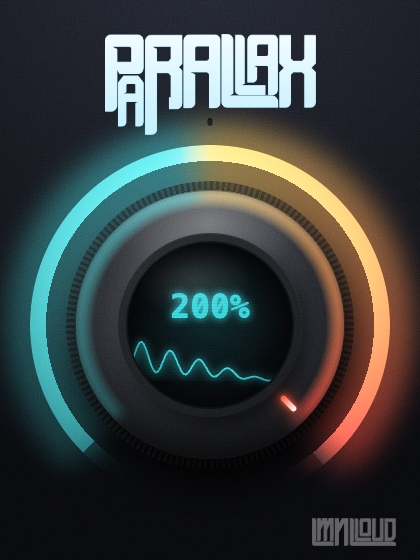
One dial, from dry to boosted
0%: original signal
Amount at 0% leaves the signal dry.
0–100%: blend the effect
Raise Amount to blend in the parallel-Haas processing.
100%: fully processed
The processed signal plays at unity gain before the boost range.
100–200%: add gain
The signal stays fully processed while output gain rises to +6 dB at 200%.
PARALLAX is designed for stereo input. Check your mix in mono as you adjust it. The boost range changes level, so compare at a similar listening loudness.
Get it into your session
- Create a free LIMINALLOUD account, or use the account you already have.
- Download the free LIMINAL Hub for your system and sign in.
- Choose PARALLAX and select the format your DAW supports. Install VST3 on Windows; choose VST3 or Audio Unit on Mac.
- Restart or rescan plugins in your DAW, then insert PARALLAX on a stereo audio track.
PARALLAX is free. The Hub also shows paid products, which have their own prices. You do not need to buy another plugin to install PARALLAX.
Before you download
Is PARALLAX a free trial?
PARALLAX is listed as a free plugin, not a time-limited trial. A free account is required to install it through the Hub.
Which Mac download should I use?
The current Hub app is built for Apple Silicon. PARALLAX’s Mac plugin files contain Intel and Apple Silicon builds. If you use an Intel Mac, read the installation options before downloading the Hub.
Will it work in my DAW?
You need a compatible plugin host. The packages contain VST3 for Mac and Windows, plus Audio Unit for Mac. These formats do not establish compatibility with every DAW version. See how to choose a format or contact info@liminalloud.com with your DAW, version, operating system and processor.
Where do I find installation help?
The install FAQ covers account access, plugin folders, rescanning, WebView2 on Windows, and the current unsigned Hub downloads.
Explore the paid effects
When you need another process, explore CTTR spectral carving, DRPPR pre-drop processing and THCKR bus processing. Each has its own product page and price.