
LLOUDER / FORMANT & VOWEL SHAPING

Shift spectral character. Or play a vowel field.
Select Character for spectral-envelope shifting, or Vowel for two resonances. Each mode retains its own motion settings.
Version 0.2.0
Free VST3 · Apple Silicon only · macOS 15.5+
Get Liminal Loud HubInstall INFORMANT from the Hub library. Use Hub 0.3.16 or later.
Read the free-plugin comparison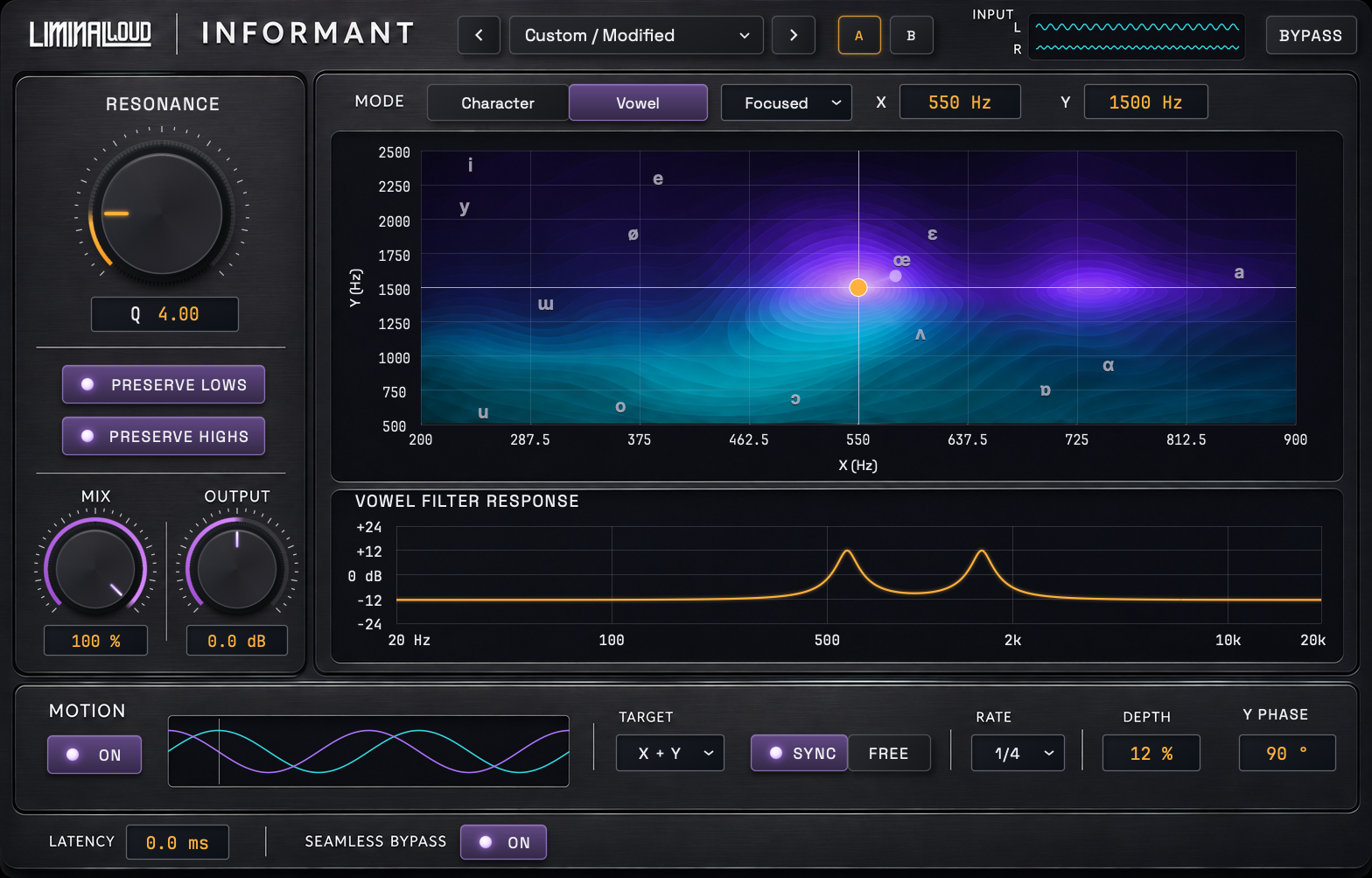
Shape the character
Character shifts the spectral envelope and tilts the tonal balance. Choose Original or Enhanced. Enhanced adds stereo analysis, transient protection, quality choices and motion. This changes timbre rather than transposing musical notes.
Find a vowel
Move two resonances across the X/Y field, using 14 IPA guides as reference points. Choose Original or Focused processing. Focused increases resonant-to-background contrast through a second pass. Adjust Q and Preserve Lows/Highs to shape the response.
Set it in motion
Move one axis or both. Sync motion to the beat or use a free rate, then adjust depth and the phase between the axes. Blend with Mix and trim the output.
Explore the controls.
The illustrated guide covers Character and Vowel modes, the Focused engine, IPA positions, motion, presets and practical sound recipes.