
FREE KEY FINDER · NATIVE AUDIO PLUGIN
Camelot WheelFind the key.
See what fits.
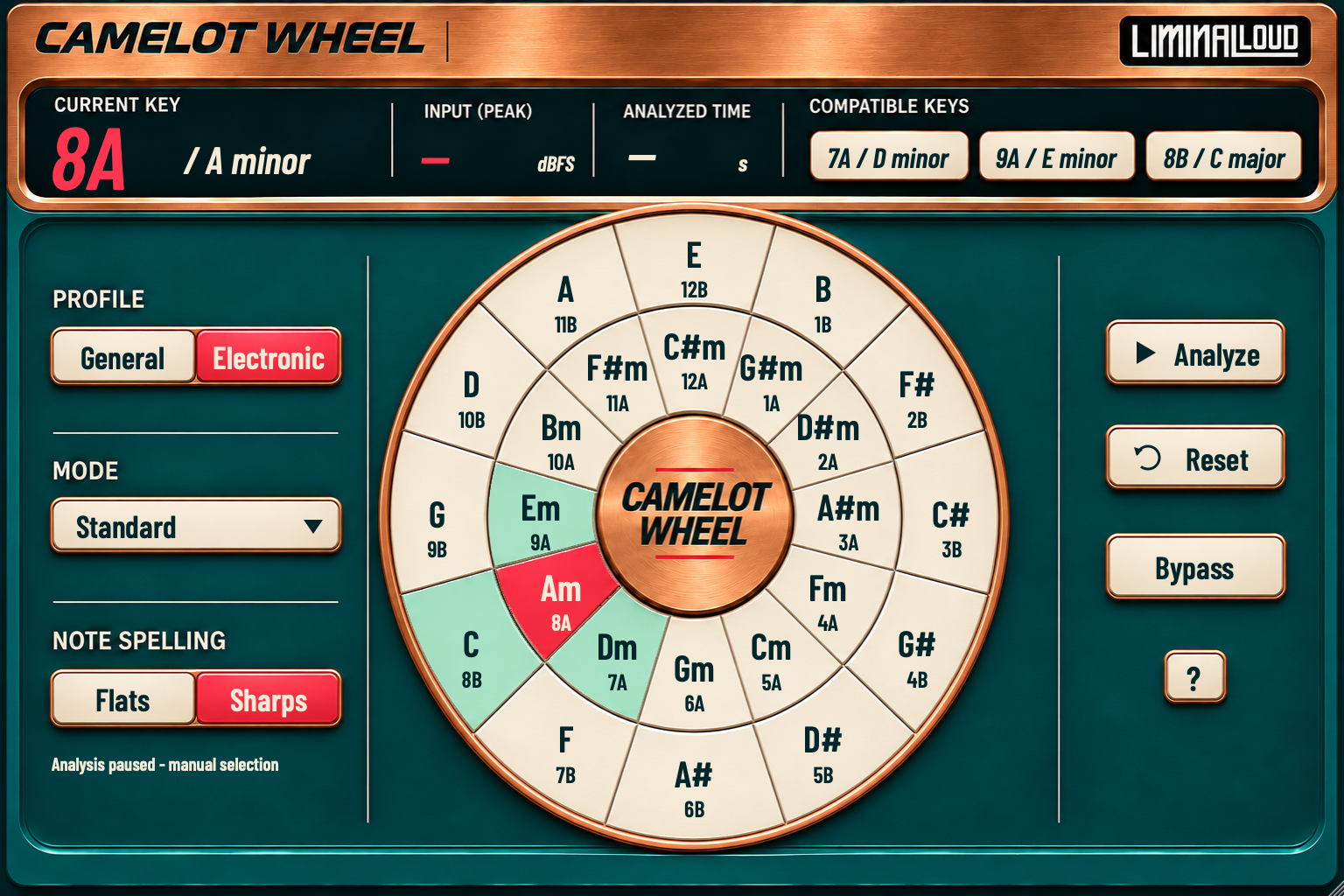
Analyze the audio in your DAW and explore compatible keys on a wheel that shows musical names and Camelot codes together.
Version 0.1.2 · Free
Mac: Apple Silicon, macOS 15.5+ · VST3 + AU
Windows x64 · VST3
Hub installation requires version 0.3.15 or later.
Your audio stays unchanged.
Camelot Wheel analyzes the signal arriving at its insert slot. Audio passes through unchanged with zero added latency. Place it on a track, bus or master, play a tonal passage and allow at least eight seconds plus stability checks for an estimate.
Names and Camelot codes
All 24 major/minor keys show both labels. Switch Flats/Sharps to match the spelling you use in the session.
Eight relationship modes
Explore related keys, or use Full Map to view the wider set of supported relationships together.
Live or held selection
Analyze the incoming sound, pause to hold a key, or click a wheel segment to make a manual selection.
Saved with the session
The host saves the plugin's analysis, mode, spelling, profile and manual-key settings with your project.
Feed the part you want to identify.
- Insert Camelot Wheel after the instrument or audio source you want to analyze.
- Play a section containing clear pitched material. The detector gathers tonal evidence over time; the rolling window is about 20 seconds.
- Inspect the estimate and audition compatible choices against the actual phrase.
- Use Pause to hold a result, or Reset to clear previous evidence before checking a different section.
System or speaker output volume is downstream of the insert. Track routing, upstream faders, mutes and effects can change what reaches the plugin. This version analyzes DAW input; it does not record your audio, capture other apps or retune the performance.
Install Camelot Wheel with the Hub.
Camelot Wheel is free. Get Liminal Loud Hub, open the library and choose Camelot Wheel. Select an available plugin format and click Install.
The Hub checks your platform and installs the complete plugin bundle in the supported location. Use Hub 0.3.15 or later.
Mac: Apple Silicon, macOS 15.5 or later, VST3 and AU. Windows x64: VST3.
