
Free plugin alternatives
HELLAFLO: a free alternative to LFO Tool and Kickstart 2
HELLAFLO is a free alternative to LFO Tool and Kickstart 2 for editable volume ducking. Draw the gain curve, repeat it with the song tempo, or let the kick trigger each cycle. The free edition includes both timing modes.
If you need a bass or pad to move out of the kick's way, start with the free HELLAFLO edition. This comparison covers that job and the features that might keep you using one of the paid tools.
HELLAFLO vs LFO Tool vs Kickstart 2
| Feature | HELLAFLO Free | Xfer LFO Tool | Kickstart 2 |
|---|---|---|---|
| Access | Free, through Liminal Loud Hub | Paid | Paid |
| Curve workflow | Editable points, direct drawing, bend and recovery controls; 21 starting shapes | Point-and-tension editor; 12 graphs stored per preset | 16 supplied curves with Slope, timing and end-marker adjustments |
| Timing | Tempo Loop or an external kick triggering one cycle | BPM or Hz rates, with optional swing | Tempo sync, audio or MIDI triggering |
| Beyond full-band volume | The free edition shapes the incoming audio's gain | Filter and pan modulation, plus MIDI CC output | Band Split can leave upper frequencies unducked |
| Current HELLAFLO formats | VST3 on Mac and Windows | Check each developer's current host and format requirements. | |
Xfer's LFO Tool feature list describes its modulation and MIDI capabilities. The Kickstart 2 manual explains its curve controls, trigger modes and Band Split. Those additional functions matter when choosing a replacement for an established chain.
When free HELLAFLO fits
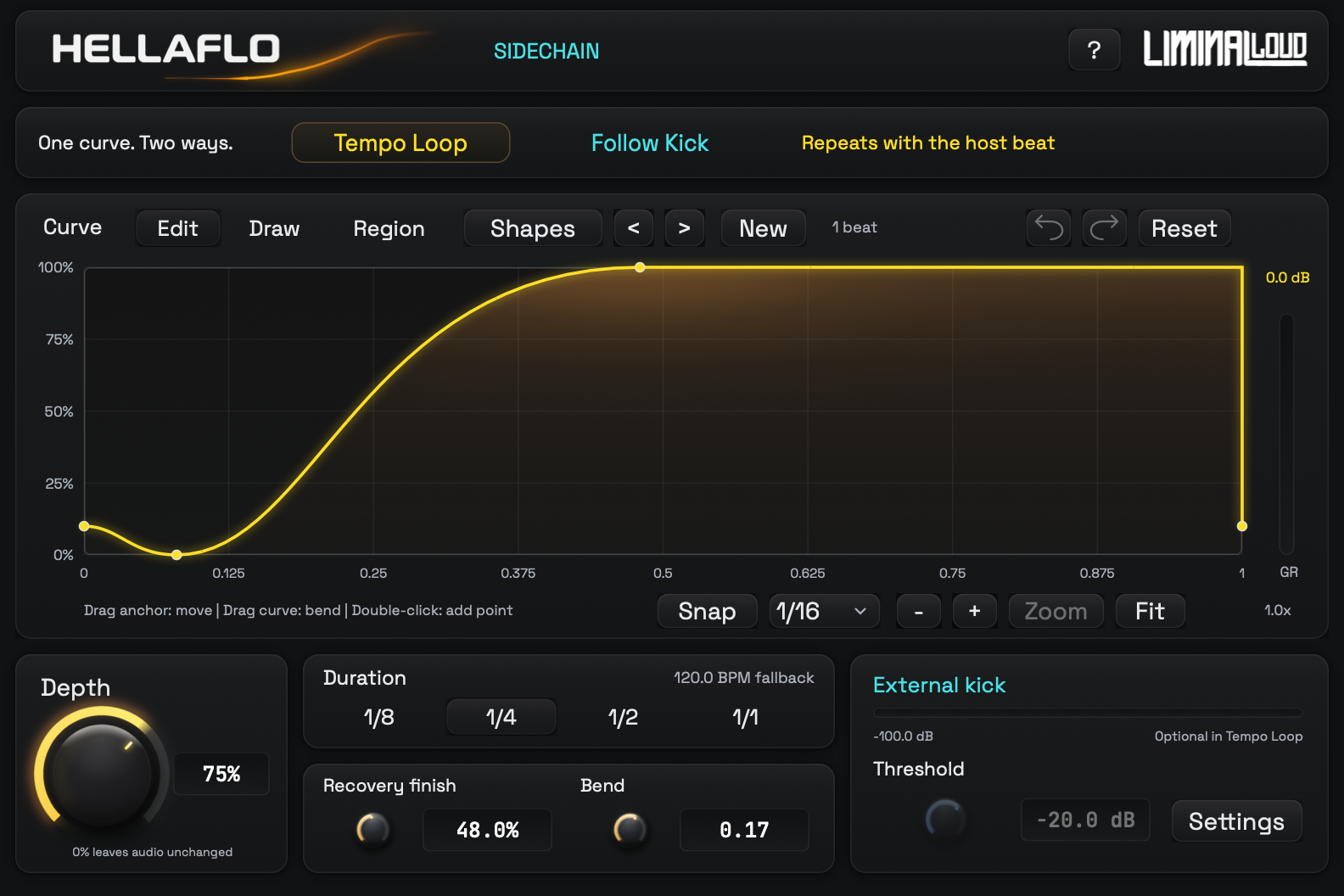
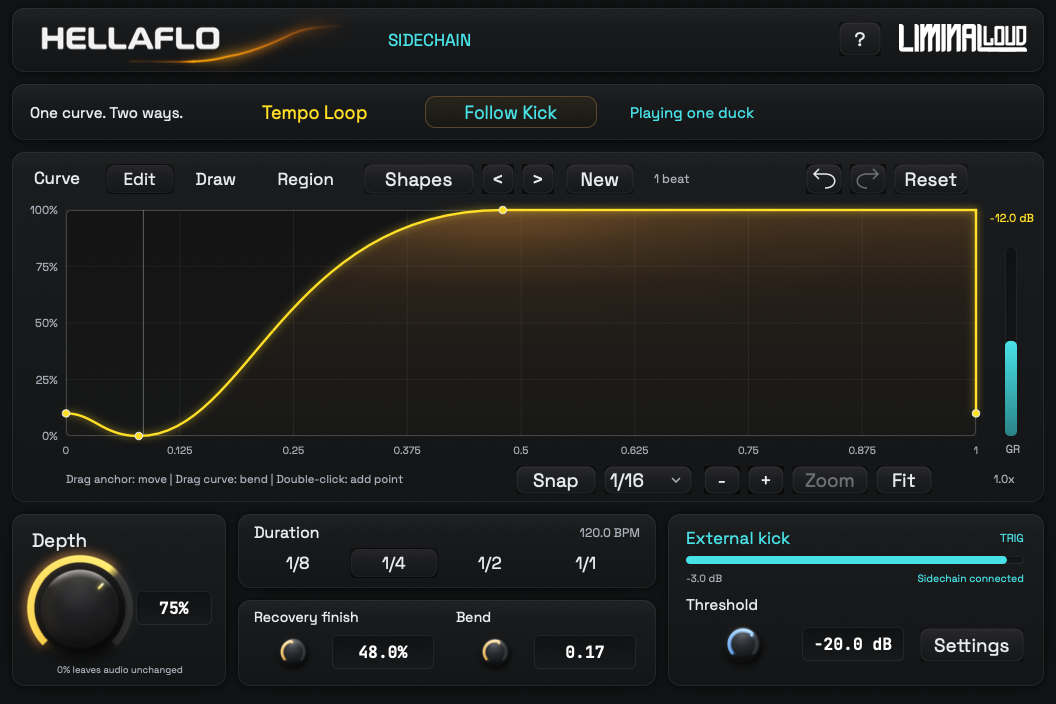
Use HELLAFLO when you want to place the recovery yourself. Move a point, bend a sloping section or draw over part of the curve. Recovery finish sets where the curve returns to its peak; Duration sets the length of the complete cycle.
For a steady four-on-the-floor pump, choose Tempo Loop. With a quarter-note Duration, the curve repeats once per beat while the transport runs. The kick track can be absent and the movement still follows the song.
For a broken kick pattern, choose Follow Kick and route the kick to HELLAFLO's external input. An accepted hit starts one cycle. The current cycle finishes when the kick stops, then the plugin returns to full gain and waits.
Choose by the task in your session
- Custom full-band ducking: HELLAFLO Free gives you a directly editable gain curve and both tempo and kick-driven timing.
- Modulating other targets: check LFO Tool's filter, pan and MIDI CC features against your routing needs.
- Ducking only the low band: Kickstart 2's Band Split is a specific difference. HELLAFLO Free's gain curve acts across the whole input.
MIDI triggering, MIDI output and frequency-selective ducking are different jobs. HELLAFLO Free receives the kick as audio. Its free edition does not send an LFO out as MIDI CC or provide a band split.
A useful first setting
- Place HELLAFLO Free after the instrument on the bass or pad track.
- Choose Tempo Loop, 1/4 Duration and the Smooth Gate shape.
- Set Depth to 75%. At a zero-level curve point, that targets 25% gain, about −12 dB. Smoothing and the moving curve affect the live gain-reduction reading.
- Move Recovery finish while the kick and instrument play together. Reduce Depth if the instrument disappears for too much of the beat.
The Serum and Ableton Live tutorial walks through the device order and external kick route. It includes four downloadable settings recipes for subtle ducking, a steady pump, a longer swell and a broken beat.
Free HELLAFLO and HELLAFLO+
The free plugin is the single-envelope edition described above. HELLAFLO+ adds eight independent LFOs, input following, MIDI and sustain tools, combined stereo gain and the Generator. Plus is available through Patreon membership tiers and includes the free companion.
Compare both editions on the HELLAFLO product page, where the free download path, current interfaces and guides are together.