
Ableton Live tutorial
Sidechain Serum in Ableton Live with HELLAFLO Free
To sidechain Serum in Ableton Live with free HELLAFLO, place HELLAFLO Free after Serum on the same track. Use Tempo Loop for a repeating pump, or select Follow Kick and feed Live's plug-in sidechain from your kick track.
This walkthrough uses Live's sidechain panel available in Live 10.1 and later. HELLAFLO processes the instrument's audio, so the same device order applies to other synths. Start with a sustained Serum sound already in your project.
Four HELLAFLO settings recipes
A printable reference and CSV/JSON settings for a steady pump, subtle ducking, a long swell and a broken beat. Enter the values in the plugin, then save your own Live Rack.
Download the settings ZIPOpen the printable settingsPut HELLAFLO after Serum
- Create a MIDI track and load Serum. Make a clip with a held note or chord so changes in volume are easy to hear.
- Drag Hellaflo Free from Live's plug-in browser onto that track, after Serum.
- Keep the kick on a separate track. Start with a short section of the song containing both parts.
Audio being duckedSerum → HELLAFLO Free → track output
Trigger in Follow KickKick track → HELLAFLO's External kick input
If you put HELLAFLO on the kick track, it changes the kick's volume. Put it on the synth track to create room for the kick.
Start with a steady pump
Choose Tempo Loop, set Duration to 1/4, open Shapes and choose Smooth Gate. Set Depth to 75%. Start Live's transport so the curve runs with the host beat.
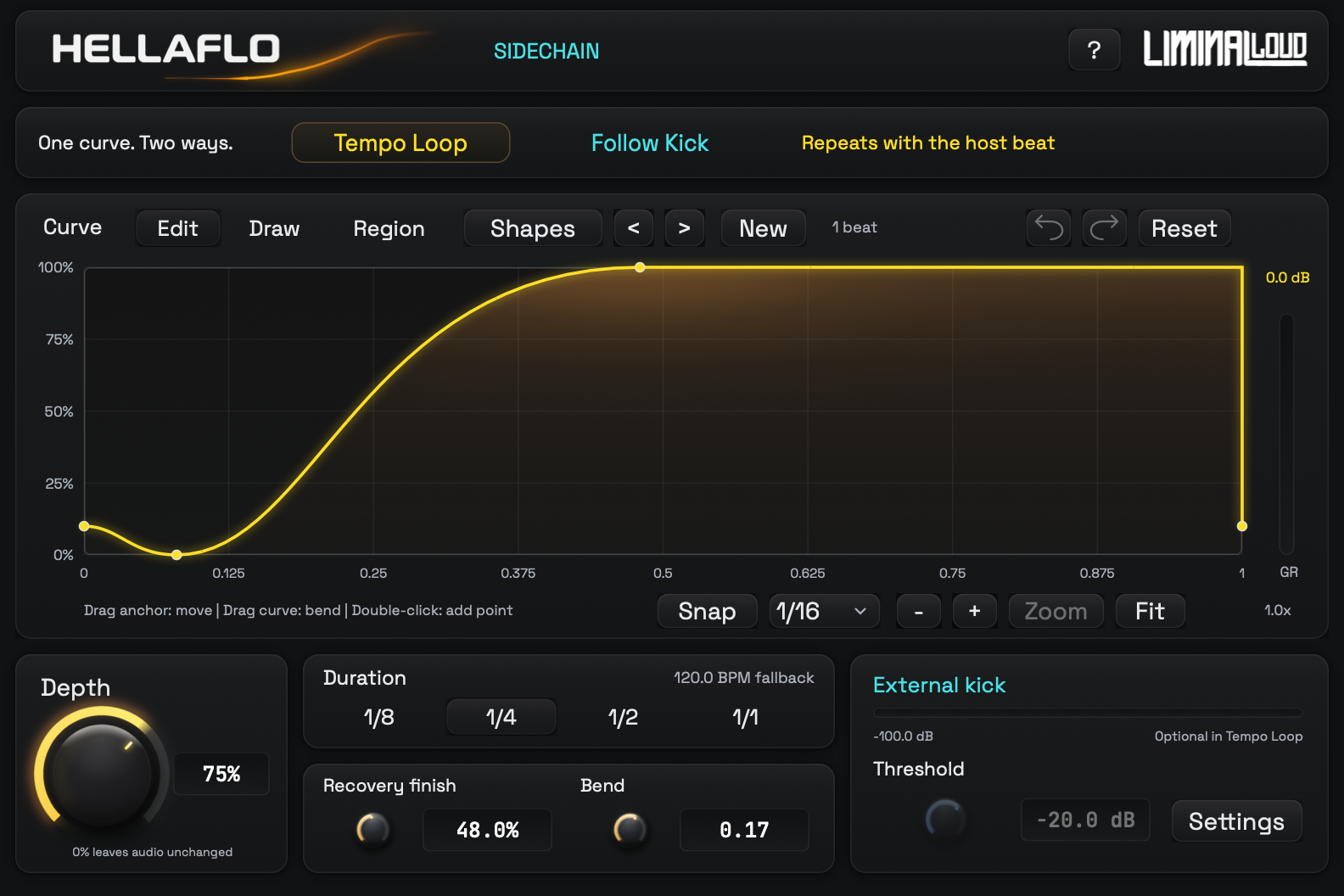
Move Recovery finish to 55% as a starting point. At 128 BPM, a quarter-note cycle lasts about 469 ms; 55% places the recovery peak about 258 ms into that cycle. Adjust it around the kick's tail and the synth's rhythm.
At 75% Depth, a zero-level point targets about −12 dB of attenuation. Try 35% for a lighter change. The graph shows the full-depth curve; the GR reading reflects the attenuation being applied.
Follow an irregular kick pattern
For missing kicks, fills or a broken beat, switch to Follow Kick. In Live, unfold the plug-in device's routing controls, enable Sidechain and choose the kick track in Audio From. Pick the appropriate tap point for the source; Post FX takes the kick after its effects.
In HELLAFLO, watch the External kick meter. Start with Kick input Gain at 0 dB and Threshold at −20 dB. Adjust Threshold around the actual kick peaks until the intended hits flash TRIG.
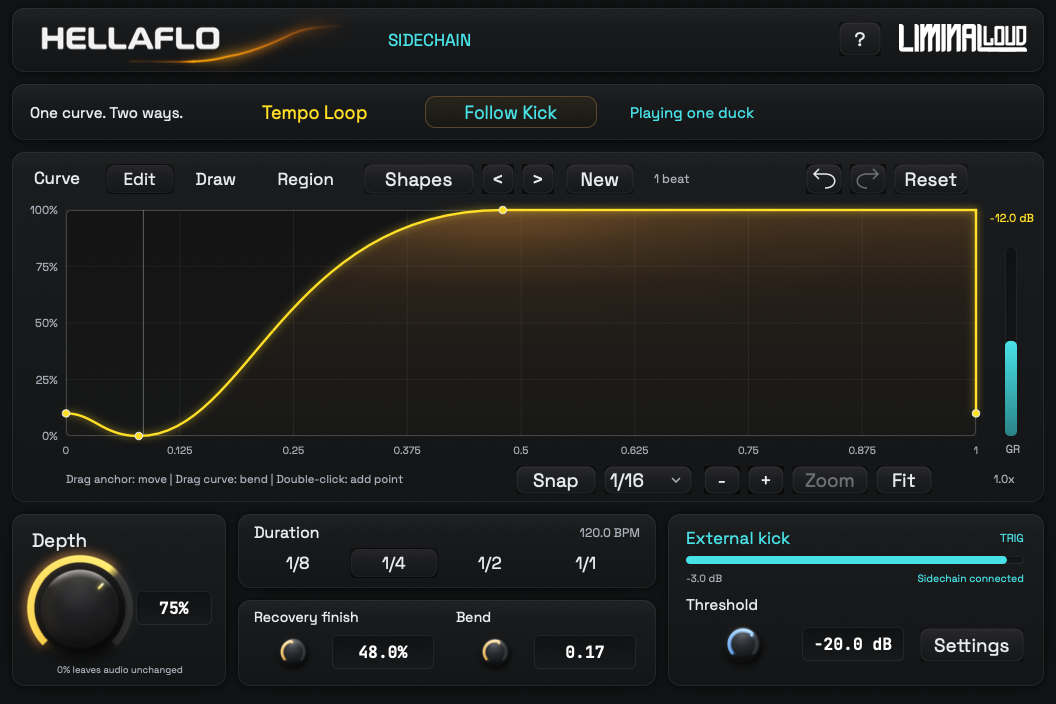
If the meter stays empty, check the selected source and whether it is playing. If the meter moves but TRIG never appears, lower Threshold. If quiet ghost hits retrigger the duck, raise it. Leave the kick audible while you establish the route.
Ableton's third-party sidechain instructions show the host panel. The HELLAFLO Free guide explains its detector and curve behavior.
Choose a starting recipe
| Recipe | Mode / Duration | Shape | Depth | Recovery finish |
|---|---|---|---|---|
| Steady pad pump | Tempo Loop / 1/4 | Smooth Gate | 75% | 55% |
| Light synth duck | Tempo Loop / 1/4 | Round Gate | 35% | 48% |
| Long pad swell | Tempo Loop / 1/2 | Late Gate | 85% | 85% |
| Broken-beat duck | Follow Kick / 1/4 | Fast Gate | 75% | 48% |
Use 3 ms Output smoothing for the first, second and fourth recipes; try 5 ms for the long swell. These are starting settings. Change the recovery and depth for the sound you are processing. The ZIP contains manual-entry references rather than an importable Live project.
Save the setting with your sound
Once the movement fits, group the plug-in into an Audio Effect Rack and save the Rack to Live's User Library. Ableton distinguishes this from saving a default parameter configuration, which only controls the parameters exposed in Live.
When you load the Rack in a different Set, select that Set's kick source again. Its track routing is separate from the HELLAFLO curve. See Ableton's preset and configuration guidance.
Fix the most common setup problems
- The pump continues during a kick gap: Tempo Loop repeats with the transport. Use Follow Kick for hit-driven movement; its last cycle finishes before waiting.
- The synth stays quiet too long: shorten Duration, move Recovery finish earlier or reduce Depth.
- The kick still masks the synth: listen to the kick tail against the recovery. Also check the synth's low end and level in the full mix.
- HELLAFLO is missing from Live: install the free edition through Liminal Loud Hub, then check Live's VST3 scan settings and the installation guide.